2026-11-12
When choosing a monitor, television, or projector, have you ever felt confused by the various resolution specifications? 720p, 1080p, 2K, 4K, 8K… What do these numbers actually mean, and how do they affect image quality?
In this article, we will explain the fundamentals of display resolution and help you understand the differences between these common standards.
Resolution is one of the key specifications used to describe image detail and clarity. It is generally expressed as the number of horizontal pixels multiplied by the number of vertical pixels.
A pixel is the smallest individual element of a digital image. In general, a higher pixel count allows an image to display more detail and appear sharper.
However, resolution alone does not determine perceived image quality. Another important factor is PPI (Pixels Per Inch), which measures pixel density.
For example, a 24-inch monitor and a 32-inch monitor may both have a resolution of 1920 × 1080. However, the 24-inch monitor has a higher PPI, meaning its pixels are packed more closely together and the image generally appears sharper at the same viewing distance.
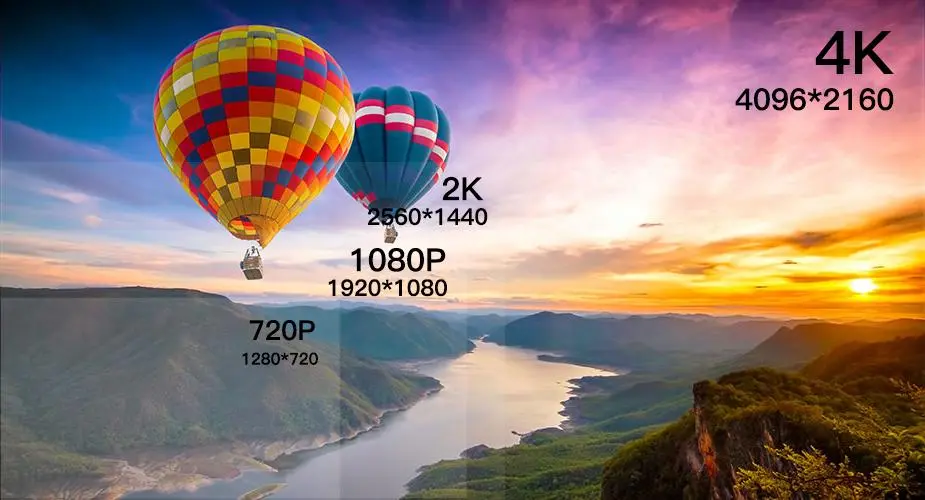
Display technology has evolved significantly over the years, progressing from basic display standards to today’s ultra-high-definition formats.
Early Display Standards (SD and VGA)
High-Definition Era (HD)
Ultra-High-Definition Era (UHD)
What do the letters and abbreviations in display resolution specifications actually mean?
The “P” in 720p and 1080p stands for Progressive Scan.
Progressive scanning displays all horizontal image lines sequentially in each frame. This differs from interlaced scanning, represented by “i” (Interlaced), which displays alternating sets of image lines.
The number before “p” indicates the vertical resolution, or the number of horizontal pixel rows.
For example:
A typical 1080p display or camera uses a resolution of 1920 × 1080 pixels.
The “K” in 2K, 4K, and 8K refers approximately to the horizontal pixel count, expressed in thousands.
For example, 4K generally refers to a display with approximately 4,000 horizontal pixels.
Common formats include:
Similarly, 8K UHD refers to a resolution of 7680 × 4320 pixels.
“MP” stands for Megapixels, representing the total number of pixels in an image, measured in millions.
It is calculated by multiplying the horizontal pixel count by the vertical pixel count.
For example:
A 1080p camera with a resolution of 1920 × 1080 pixels has approximately:
1920 × 1080 = 2,073,600 pixels
This is equivalent to approximately 2.07 megapixels (2.07 MP).
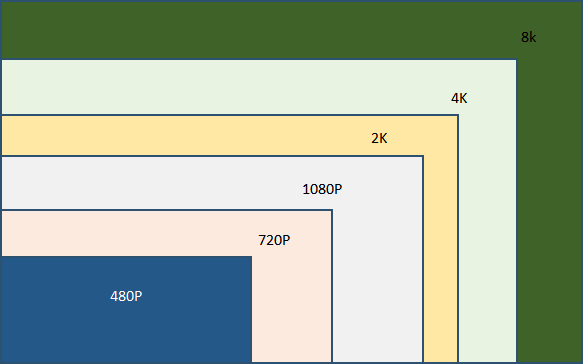
Numbers alone may not fully demonstrate the differences between display resolutions.
A visual comparison makes it easier to understand how pixel density and resolution affect image detail and clarity.
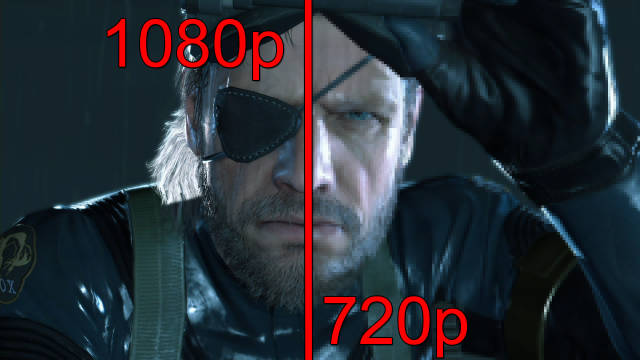
The following comparisons illustrate the differences between 1080p, 2K, and 4K resolutions, allowing you to see how image details become sharper as pixel counts increase.

As display technology continues to advance, the competition is no longer focused solely on increasing pixel counts. Factors such as pixel quality, refresh rates, color reproduction, and overall display performance are becoming increasingly important.
Resolution is only one part of the overall visual experience. Touch responsiveness, accuracy, and reliability are equally important in determining the usability of interactive display products.
As a specialized supplier of Metal Mesh touch solutions, MICRON focuses on advanced transparent conductive materials and touch film technologies. Our Metal Mesh PCAP touch films combine high optical transmittance with low sheet resistance, fast touch response, and excellent signal stability.
These characteristics make our touch films suitable for integration into high-resolution display systems, helping display manufacturers develop interactive products that meet demanding optical and touch performance requirements.
Explore the possibilities of Metal Mesh touch technology. Contact MICRON to discuss your customized touch film requirements.



 English
 العربية
 Čeština
 Dansk
 Nederlands
 Français
 Deutsch
 Ελληνικά
 Magyar
 Italiano
 日本語
 한국어
 Polski
 Português
 Español
 Türkçe
 Українська
 Tiếng Việt


